Add in seconds
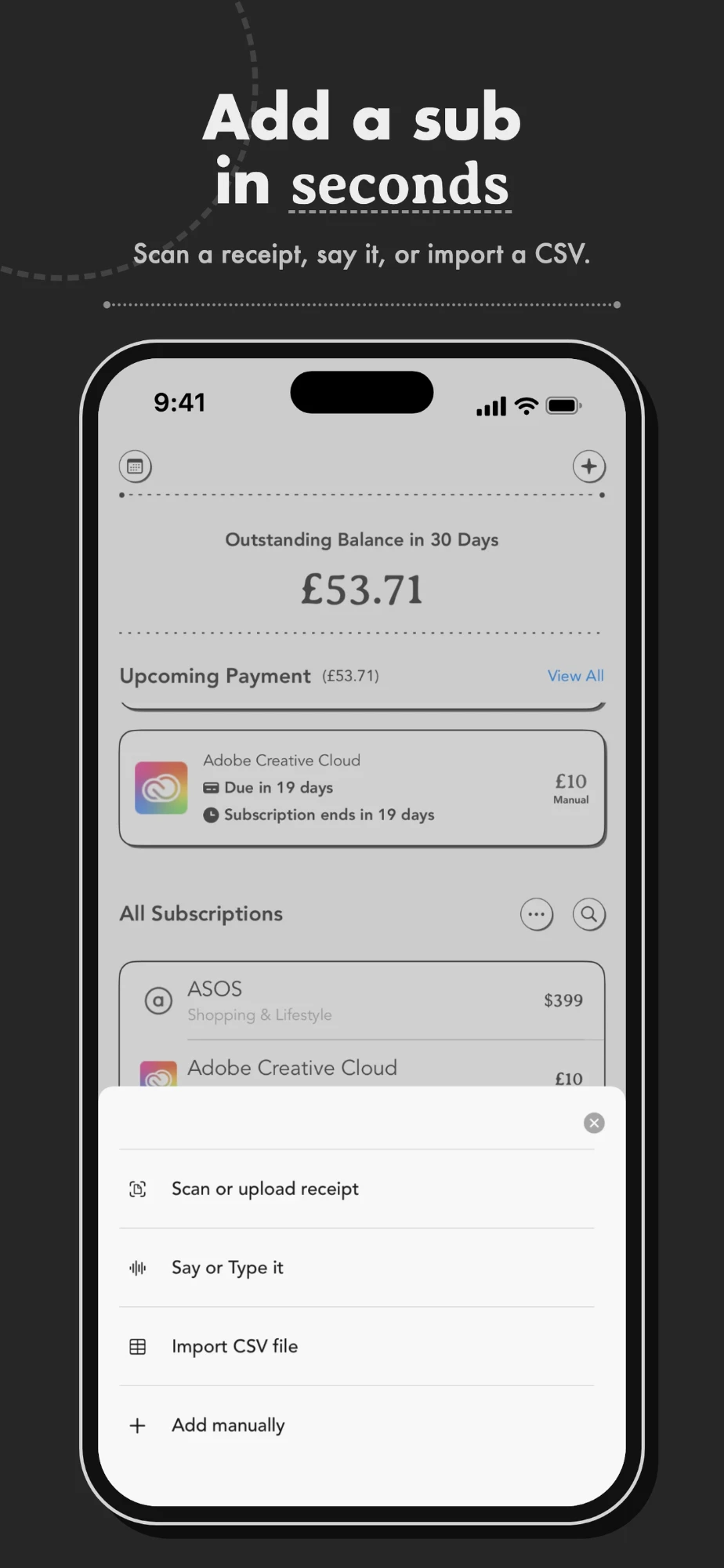
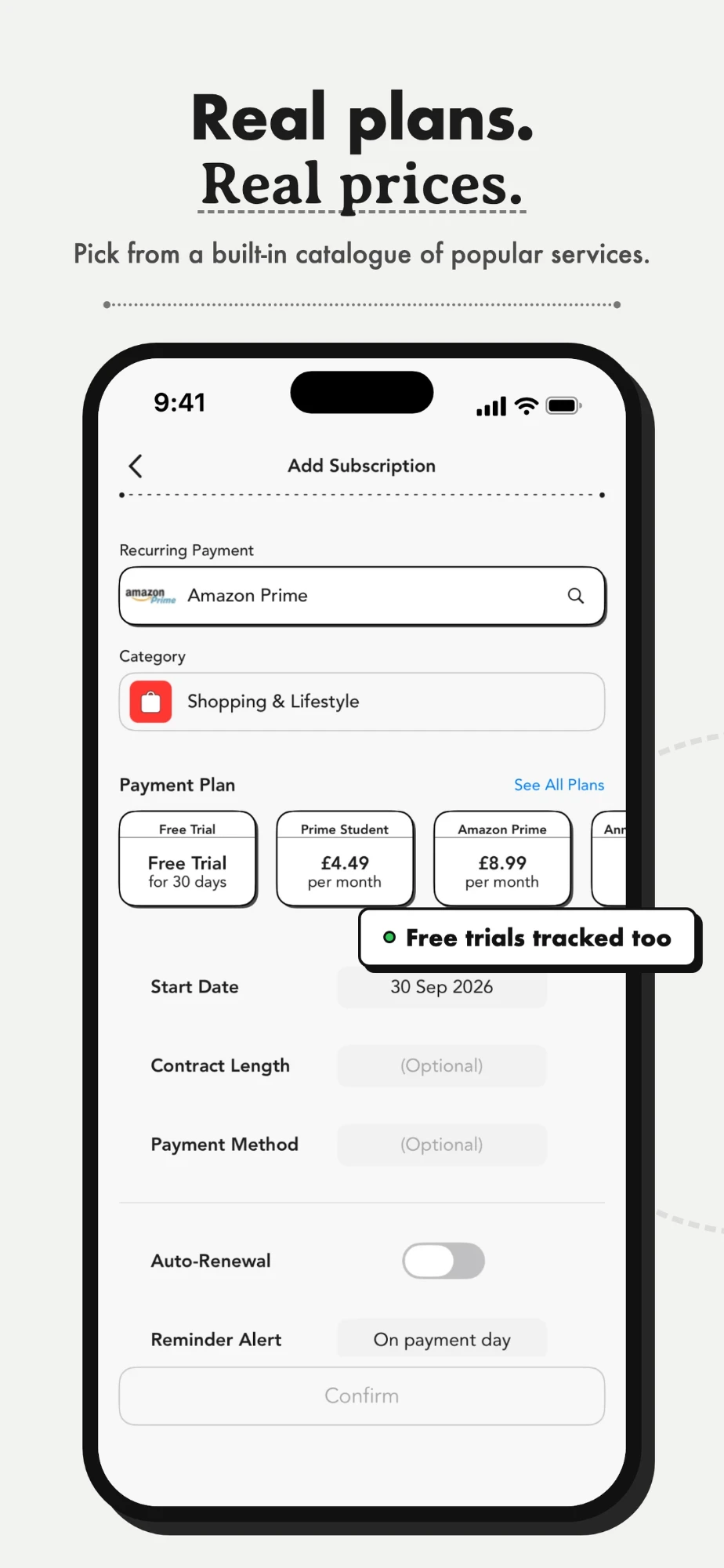
Pick from ready-made plans for your region, scan a receipt, or just say it.
Subscription tracker for iPhone
Track renewals, free trials and contracts, get a reminder before you're charged, and see where your money goes each month.
 Free on the App Store · iPhone with iOS 18 or later
Subscriptions are easy to start and easy to forget. A free trial quietly turns into a paid plan, a yearly renewal lands out of nowhere, a missed payment brings a penalty charge, and the monthly total creeps up. 3Sub keeps every plan in one list, reminds you before each charge so you avoid late fees and penalty charges, and shows what you're really spending.
Features
A list tells you what you pay. 3Sub tells you what's coming, reminds you when to act, and shows you what's worth keeping.
Pick from ready-made plans for your region, scan a receipt, or just say it.
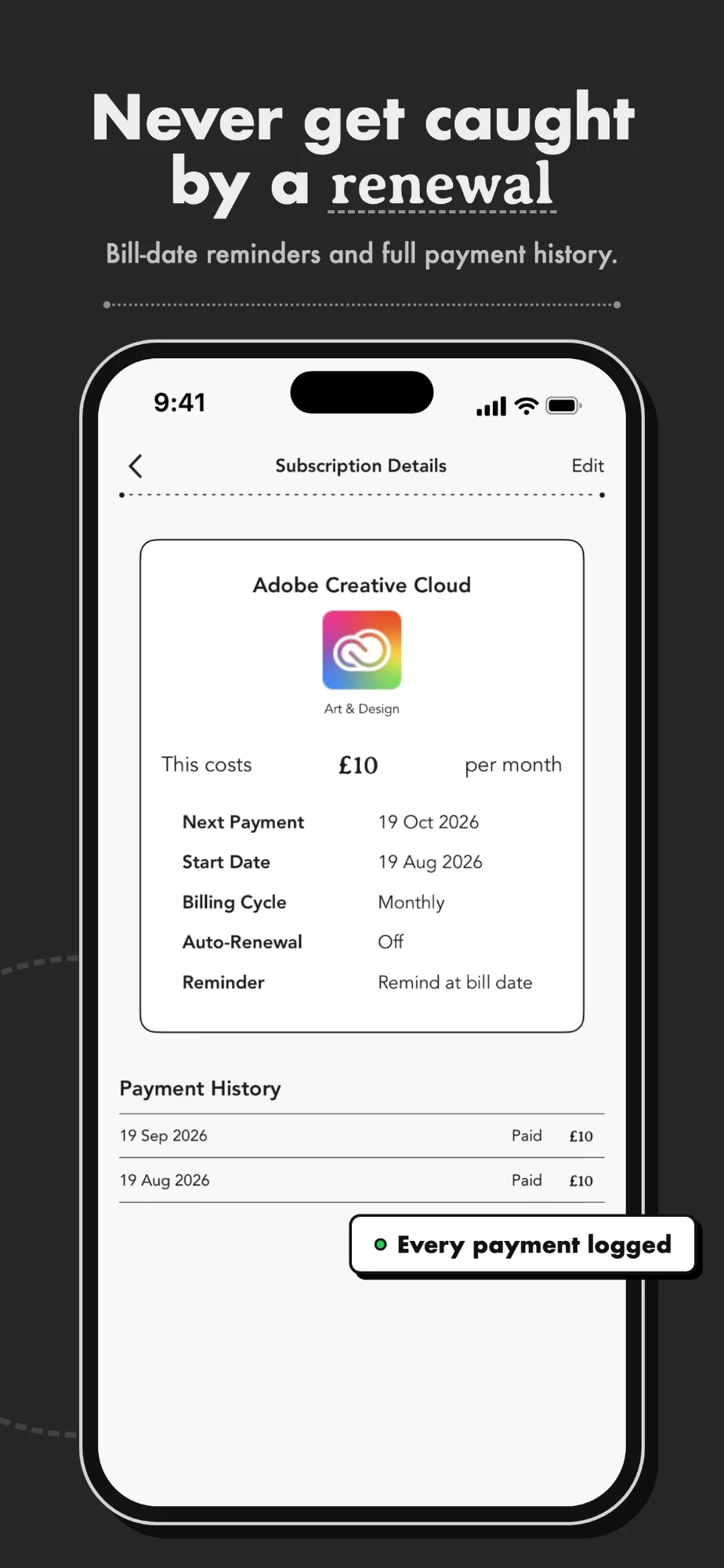
Reminders for renewals, free trials and contract ends, days before the money leaves.
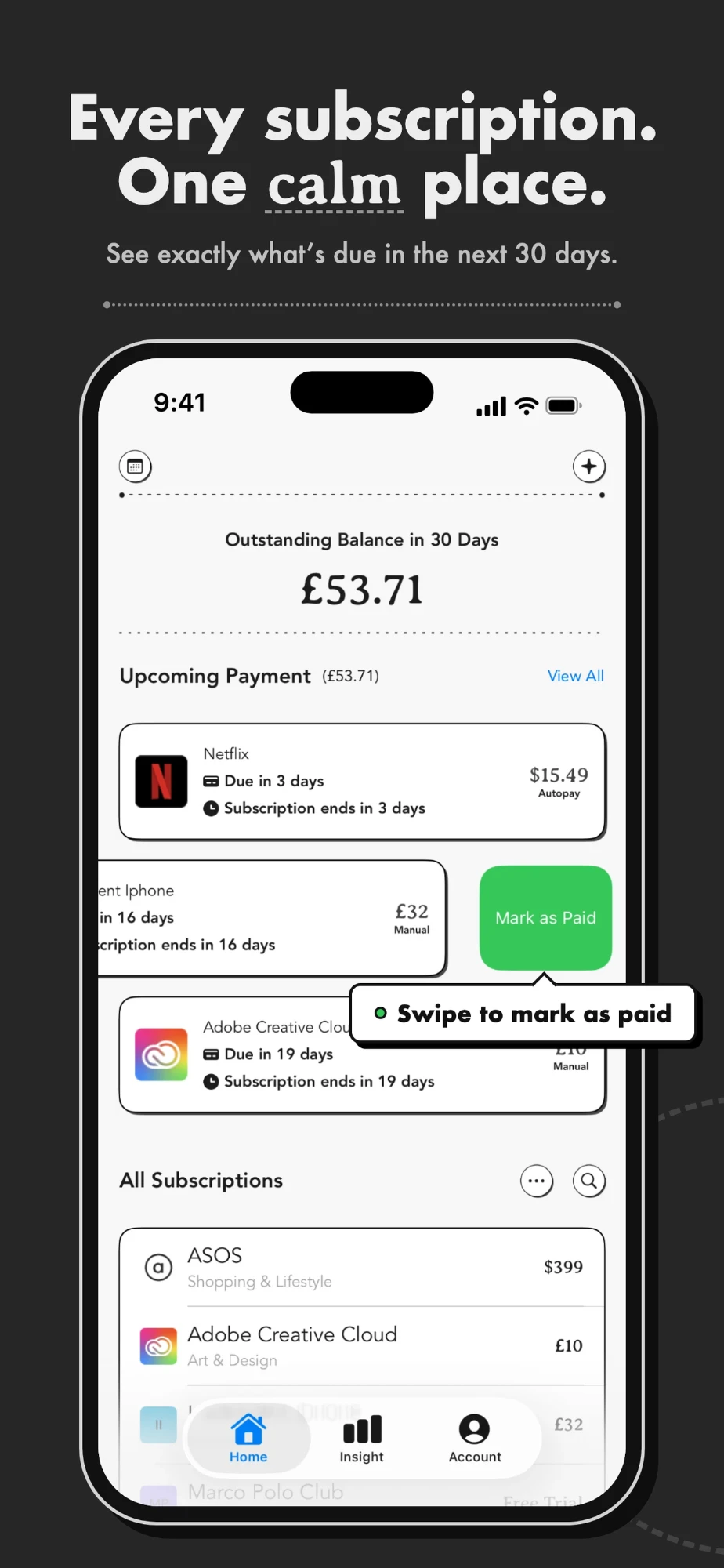
Tick off each payment and see at a glance what's settled and what's still due.
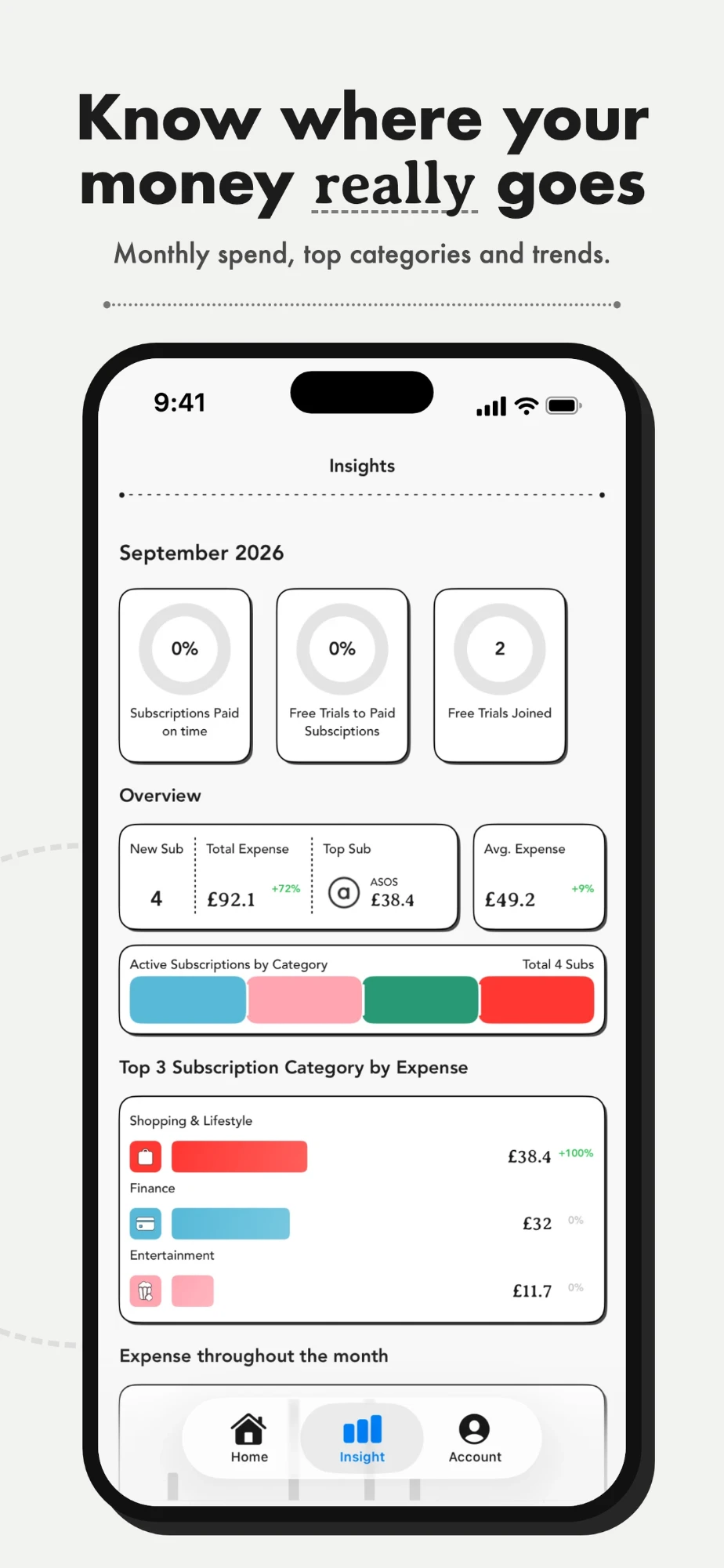
Insights into your spending by category, week by week, month by month or across the year. Swipe back through past months to see how it's changed.
And more
Upcoming payments at a glance, without opening the app.
Track anything, even if it isn't in the catalogue, with your own plans and colours.
Bring your whole list over from a spreadsheet in one go.
Added something before it was in the catalogue? 3Sub offers to switch it over, with its payment history.
Pay for the same service twice? Keep both, numbered so you can tell them apart.
Jot down who shares the account, which email it's on, or why you're keeping it.
Hide your totals or every amount, so you can check your bills on the train.
Payments grouped by date, so the busy weeks stand out at a glance.
Swipe through earlier months in Insights to see how your spending has changed.
Take a look
Privacy & reliability
3Sub never asks for bank logins or card numbers. You add what you pay, by picking a plan, scanning a receipt or just saying it, and nothing is read from your accounts.
Receipt photos and voice entries are processed on your device and never uploaded. Only the subscription details you save are kept.
Reminders are scheduled on your iPhone, so they turn up on time even with no signal. 3Sub works offline and syncs when you're back online.
Your list is backed up to your account and stored in the EU, so a new phone doesn't mean starting over. Delete your account and all of your data from the app at any time.
FAQ
Thanks for testing! Install 3Sub from the App Store and sign in with the same account you used in the beta. Your subscriptions will be waiting for you.
Add each one to 3Sub by picking its plan from the built-in list, scanning a receipt or just saying it. 3Sub then shows everything due in the next 30 days, reminds you before each renewal or free trial ends, and keeps a history of every payment, all without connecting your bank.
No. 3Sub never asks for bank logins or card numbers. You add subscriptions yourself by picking from ready-made plans, scanning a receipt or just saying it, so nothing is read from your accounts.
Your subscriptions are saved to your 3Sub account, so they're safe if you change phones. Receipt photos and voice entries are processed on your device and never uploaded. See our Privacy Policy for the details.
Yes, 3Sub is free to download. As a guest you can track 3 subscriptions. Create a free account for up to 10 subscriptions, 5 free receipt scans or spoken entries, spending insights, hidden amounts and the Home Screen widget. For more, there's 3Sub Plus.
Unlimited subscriptions, receipt scans and spoken entries, CSV import, the full Insights breakdown with past months, notes on every subscription, "Add another" for services you pay for twice, unlimited custom plans and categories, and full offline use. Plus is monthly or yearly, with a 2-week free trial, and is billed by Apple. You'll see the price for your country in the app before you buy. If you stop Plus, everything you added stays in your account.
No, you can start as a guest straight away. Sign in with Apple, Google or email whenever you want to track more and keep your list safe if you switch iPhones.
An iPhone running iOS 18 or later.
For each subscription, choose when you'd like a heads-up: on the bill date, 1, 2 or 3 days before, or a week before. 3Sub also reminds you before free trials and contracts end, so you can cancel before you're charged.